iLoveDXF

इमेज से DXF

रास्टर इमेज को साफ़ DXF आउटलाइन में बदलें

1 creditcncLocal

Saved setup

Repeat production without rebuilding settings

Names and settings stay on this device. File names and source paths are never stored.

Machine size, DXF version and saved setupsCNC router · R12

Machine output

No final width set, so this DXF exports in original pixel units. Set a width above to export at a real size.

Trace recipe

Choose an image to start.
Verified conversion example

See one source image become an inspected DXF

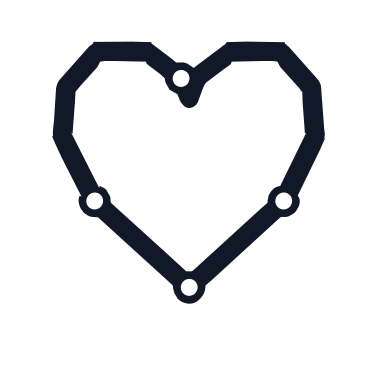
This is the actual iLoveDXF heart mark traced with the laser profile, exported as DXF R12, and checked again with the DXF analyzer. The files and machine-readable report below are the real outputs.

Verified 14 July 2026

Source PNG

512 × 512 px, transparent margins included

Original iLoveDXF heart logo PNG used for the verified DXF conversion

Exported DXF preview

Noise removed, geometry rendered from export

Preview rendered from the verified iLoveDXF heart DXF export

Measured output

Trace result

Ready

Geometry

6 contours

Complexity

763 nodes

Curve mix

45 arcs · 33.3%

DXF inspection

R12 · millimetres

Preflight

0 analysis warnings

Why bounds still matter: the 100 mm request scales the full raster canvas. Transparent margins leave visible geometry at 72.21 × 69.34 mm. Verify visible bounds, kerf, nesting, feeds, speeds, and toolpaths in CAD/CAM before production.
Open your DXF in the viewer

Direct answers

Short factual answers for AI search, snippets, and people comparing browser-based CAD/CAM utilities.

What is it?
iLoveDXF Image to DXF is a browser-based converter for tracing PNG, JPG, JPEG, WEBP, and BMP images into DXF outline geometry.
Best for
Logo to DXF, PNG to DXF, JPG to DXF, stencil files, sign artwork, decals, flat technical sketches, and high-contrast images that need editable DXF outlines.
Not for
Photorealistic vectorization, automatic CAD drafting, guaranteed closed toolpaths, or final production approval.
How it works
Upload an image. iLoveDXF automatically detects the image type, chooses segmentation and cleanup, scores multiple vector candidates, validates the geometry, and prepares DXF R12.
Limitations
Source image quality strongly affects output; noisy or compressed images may need manual cleanup after export.
Output format
The tool exports browser-generated DXF outline geometry for CAD/CAM review.
Production checks
Before export, iLoveDXF reports contour and node counts and flags risky or invalid geometry that deserves review.
Compatible workflows
Use the exported outline as a starting point in LightBurn, AutoCAD, Fusion 360, laser cutting, CNC routing, sign making, and stencil workflows.
What the quality score means
The score compares trace candidates using geometry complexity and validation signals. It helps choose a cleaner first pass, but it does not replace machine simulation or operator approval.
Privacy/local processing
The core image tracing workflow processes the selected source image locally in the browser.

How it helps

Convert PNG, JPG, JPEG, WEBP, and BMP images to DXF outlines
Automatically classify logos, silhouettes, scans, photos, and technical artwork
Compare multiple trace candidates, validate geometry, and export DXF R12 without settings
See contour count, node count, quality score, and production warnings before download
Set a real-world output width and review the result before LightBurn, AutoCAD, Fusion 360, or CAM setup

Best practices

  • - Use clean, high-contrast source artwork for better DXF contours.
  • - Prefer transparent PNG logos or flat black-and-white artwork over noisy photos.
  • - Review scale, duplicate contours, and small details in CAD/CAM software before cutting or machining.

Limitations

  • - Image tracing creates outline geometry, not a perfect engineering drawing.
  • - Photos, gradients, shadows, compression artifacts, and tiny text can produce extra contours.
  • - Final machine-ready approval still requires CAD/CAM review.

Practical workflows

Convert a logo into DXF outlines for cutting or routing

Problem
A logo image needs to become editable outline geometry for signs, stencils, routing, or laser cutting.
What to check
Upload a PNG or JPG. The converter detects the background, selects thresholding and cleanup, compares vector candidates, and prepares the DXF automatically.
Expected output
You get a first-pass DXF outline that can be cleaned, scaled, and prepared in CAD/CAM software.

Prepare artwork before laser or CNC work

Problem
Raster artwork can contain noise, shadows, and compression artifacts that create messy tool paths.
What to check
Upload the artwork and review the automatically cleaned vector preview; the built-in quality gate flags risky contours before export.
Expected output
The exported DXF is easier to review before CAM setup.

Scale a traced logo to a real production width

Problem
A customer supplies a small raster logo, but the finished sign or cut part must be produced at a known physical width.
What to check
Enter the target width in millimetres, inspect the vector preview, and compare contour, node, and warning counts before downloading.
Expected output
The DXF opens at a predictable starting scale, reducing avoidable resizing work before LightBurn or CAM setup.

FAQ

What image formats can I convert to DXF?

The Image to DXF tool supports PNG, JPG, JPEG, WEBP, and BMP imports.

What images convert best to DXF?

Clean, high-contrast logos, icons, silhouettes, stencils, and technical outlines usually trace better than photos or compressed screenshots.

Does Image to DXF create editable CAD geometry?

It creates DXF outline geometry that can be opened, cleaned, scaled, and prepared in CAD/CAM software.

What does PNG, JPG, or WEBP to DXF conversion cost?

You can prepare and preview the browser workflow before signing in. Exporting the DXF requires an account and uses 1 credit.

Can I choose the finished DXF width in millimetres?

Yes. Set a target width before export to create a predictable real-world starting size, then verify dimensions in your CAD/CAM or laser software.

Does the converter check whether the DXF is safe to cut?

It checks the traced geometry and reports quality signals and warnings. Always review dimensions, contours, toolpaths, kerf, and machine settings before production.